Quick Answer
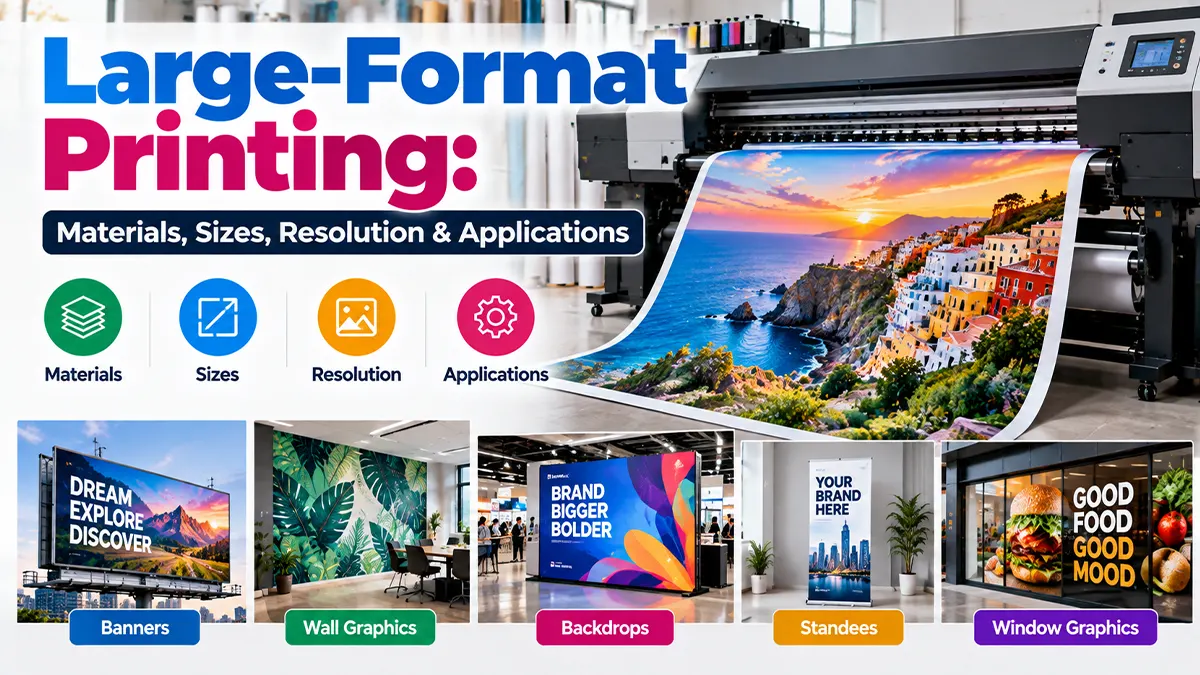
Large-format printing produces oversized graphics using wide-format printers and media such as vinyl, coated paper, canvas, fabric, backlit film and other flexible or rigid substrates. The appropriate material, print width and image resolution depend on the application, environment and viewing distance. For close-viewed work, higher image resolution is useful; for very large graphics viewed from farther away, lower effective PPI can still produce a visually appropriate result. Adobe notes that 300 PPI is a common target for high-quality prints, while lower resolutions can work for large-format prints viewed from a distance.
What Is Large-Format Printing?
Large-format printing, also called wide-format printing, is a category of digital printing designed for graphics larger than typical office or commercial sheet sizes. Depending on the equipment, a print shop may work with roll media, sheets or rigid boards.
Common outputs include banners, posters, wall graphics, window graphics, event backdrops, exhibition graphics, point-of-purchase displays, canvas prints and technical drawings. Epson describes large-format systems as suitable for applications ranging from signage and wayfinding to posters, banners, POP displays and fabric printing.
Large-Format Printing Materials
The material affects appearance, installation method, durability, light transmission, handling and sometimes the printing technology required.
| Material | Typical Uses | Key Considerations |
|---|---|---|
| Vinyl | Outdoor graphics, vehicle graphics, wall graphics, signs | Available in different finishes and adhesive types; choose according to surface and exposure. |
| Banner media | Events, promotions, temporary outdoor displays | Flexible and practical; finishing may include hems, eyelets or pole pockets. |
| Coated paper | Posters, indoor displays, presentation graphics | Good for sharp graphics where outdoor durability is not the main requirement. |
| Backlit film | Lightboxes and illuminated displays | Designed to be viewed with controlled illumination behind the print. |
| Canvas | Art prints, décor, photographic displays | Texture and finish influence perceived image detail and colour. |
| Fabric | Backdrops, exhibitions, retail displays | Lightweight and foldable; finishing and tension systems vary. |
| Rigid boards | Display panels, POS, temporary signs | Board thickness, rigidity, cutting and mounting need to be considered. |
Large-format inkjet equipment can support coated and uncoated papers, adhesive vinyl, backlit film, canvas and flexible substrates, although exact media compatibility depends on the printer and ink system.
Common Large-Format Print Sizes
There is no single universal large-format size. Printers, media rolls and finishing requirements determine the practical maximum dimensions.
| Example Size | Common Applications | Planning Note |
|---|---|---|
| 18 × 24 in | Small posters and presentations | Suitable where moderate viewing distance is expected. |
| 24 × 36 in | Posters, retail and informational graphics | Common display size for indoor communication. |
| 36 × 48 in | Posters, boards and display graphics | Check available media width and finishing area. |
| 48 × 72 in | Large posters and promotional graphics | Viewing distance becomes increasingly important. |
| Custom banner sizes | Events, outdoor campaigns and backdrops | Confirm finished size, hems, eyelets and installation method. |
| 24–44 in technical rolls | CAD, architecture and engineering drawings | Wide-format plotters are commonly available in these widths. |
Large-Format Printing Resolution: How Many PPI Do You Need?
One of the most common mistakes is treating 300 PPI as a mandatory number for every oversized print. Resolution should be considered together with final print size, viewing distance, image content and printer workflow.
Adobe identifies 300 PPI as a common standard for high-quality prints viewed up close, while noting that lower resolutions can work well for large-format prints intended to be viewed from a distance.
| Application Type | Practical Resolution Approach | Why |
|---|---|---|
| Close-viewed photographic print | Aim toward a high effective PPI | Fine detail is more visible at short distances. |
| Indoor poster or display | Use the printer/provider's recommended effective PPI | Viewing distance and output technology matter. |
| Large banner | Often lower effective PPI can be acceptable | The viewer normally stands farther away. |
| Billboard-scale graphic | Resolution can be substantially lower than close-viewed prints | Viewing distance reduces the need for fine pixel-level detail. |
Also distinguish PPI from DPI. PPI describes image pixels per inch; printer DPI describes the printer's output dots. Adobe explicitly treats these as different concepts.
Viewing Distance Matters
A large graphic is not normally inspected from the same distance as a business card. As viewing distance increases, extremely fine image detail becomes less noticeable. This is why a lower effective PPI may be appropriate for a banner or billboard than for a small print intended to be examined closely.
For text and logos, however, source quality still matters. Vector artwork is useful for logos, icons and line graphics because it can be scaled without the same pixel-based limitations as raster images.
Raster Images vs Vector Artwork
| File Type | Best For | Scaling Consideration |
|---|---|---|
| Raster images | Photography, textured images, complex artwork | Quality depends on pixel dimensions and effective resolution at final size. |
| Vector artwork | Logos, icons, shapes, line art and typography | Can generally be scaled to large dimensions without pixelation. |
| Mixed artwork | Most marketing graphics | Keep vector elements vector and supply sufficiently large raster images. |
Large-Format Printing Applications
Banners & Backdrops
Used for events, temporary promotions, stage backgrounds and campaigns where a flexible oversized graphic is required.
Posters & Displays
Useful for retail, education, offices, exhibitions, healthcare communication and indoor promotional graphics.
Wall & Window Graphics
Large-format systems can produce graphics for walls, windows and other architectural surfaces using compatible media.
Technical Drawings
Wide-format plotters are used for architecture, engineering, construction drawings, maps and other technical documents.
Exhibitions & Retail
Fabric graphics, POP displays, panels and large photographic prints can support temporary or permanent visual communication.
Fine-Art & Décor
Canvas and specialist photo media can be used for artwork, décor and photographic display projects.
Indoor vs Outdoor Large-Format Printing
Outdoor projects need more than a large image. The media, ink system, lamination or protective finish, mounting method and expected exposure all need to be considered. Indoor projects may prioritize colour, finish, texture and viewing quality instead.
| Factor | Indoor | Outdoor |
|---|---|---|
| Priority | Appearance, detail, finish | Environmental durability and installation |
| Media | Paper, fabric, canvas, specialty media | Outdoor-rated vinyl, banner media and compatible substrates |
| Protection | May be optional | May require lamination or another protective approach |
| Installation | Frames, walls, stands, displays | Structures, walls, poles, frames or other mounting systems |
How to Prepare a Large-Format File
- Confirm the exact finished width and height.
- Ask the printer which file format and colour workflow they prefer.
- Use sufficiently large raster images for the final output size.
- Keep logos and important line artwork in vector format where possible.
- Set the document to the correct final proportion before placing images.
- Check text, spelling, margins and safe areas.
- Ask about bleed, hems, eyelets, pockets, trimming or mounting requirements.
- Export using the printer's requested PDF or image settings.
- Request a proof when colour accuracy or critical details matter.
Common Large-Format Printing Mistakes
- Using a small web image and simply enlarging it.
- Assuming 300 PPI is mandatory regardless of viewing distance.
- Confusing printer DPI with image PPI.
- Ignoring the finished aspect ratio.
- Forgetting bleed, hems, eyelets or trimming areas.
- Using low-quality logos instead of vector artwork.
- Not checking whether the chosen media is suitable for the environment.
- Sending files without confirming the print provider's colour and export workflow.
Large-Format Printing Checklist
| Check | Question |
|---|---|
| Size | What is the exact finished width and height? |
| Viewing distance | How close will the audience normally stand? |
| Resolution | Is the effective image resolution suitable for the final size? |
| Material | Paper, vinyl, banner, fabric, canvas, backlit film or rigid board? |
| Environment | Indoor, sheltered outdoor or exposed outdoor? |
| Finishing | Do you need hemming, eyelets, trimming, mounting or framing? |
| Colour | Has the provider confirmed the colour workflow and proofing method? |
How to Choose the Right Large-Format Printing Approach
- Define the purpose: decide whether the output is a banner, poster, wall graphic, exhibition display, technical drawing or another application.
- Measure the final size: confirm width, height and any finishing allowance.
- Estimate viewing distance: use it to determine an appropriate image-resolution strategy.
- Select the material: match the substrate to appearance, flexibility, installation and environment.
- Prepare the artwork: use appropriate image dimensions and vector artwork where practical.
- Confirm production requirements: ask the printer about colour, bleed, finishing, installation and proofing before production.
Key Takeaway
Large-format printing is not simply about making a small design bigger. The final size, material, viewing distance, image resolution, colour workflow, finishing and installation all affect the result. Adobe's current guidance supports using 300 PPI as a common high-quality print target while recognizing that large-format graphics viewed from farther away can work at lower resolutions.
For a production job, confirm the printer's own media, file, colour and resolution requirements before exporting the final artwork.
Frequently Asked Questions
Disclaimer
Printing results vary by printer, ink, media, artwork, colour workflow, viewing distance and finishing method. The information in this article is for general educational purposes. Confirm the printer's current technical specifications and production requirements before submitting final artwork.
Planning a Large-Format Print Project?
Share your print size, material preference, application and artwork requirements to discuss a suitable large-format printing approach.
Discuss a Project