
Website Design & Development · Planning checklist
What Pages Does a Small Business Website Need?
Build the page list around customer questions, clear navigation and working business functions.
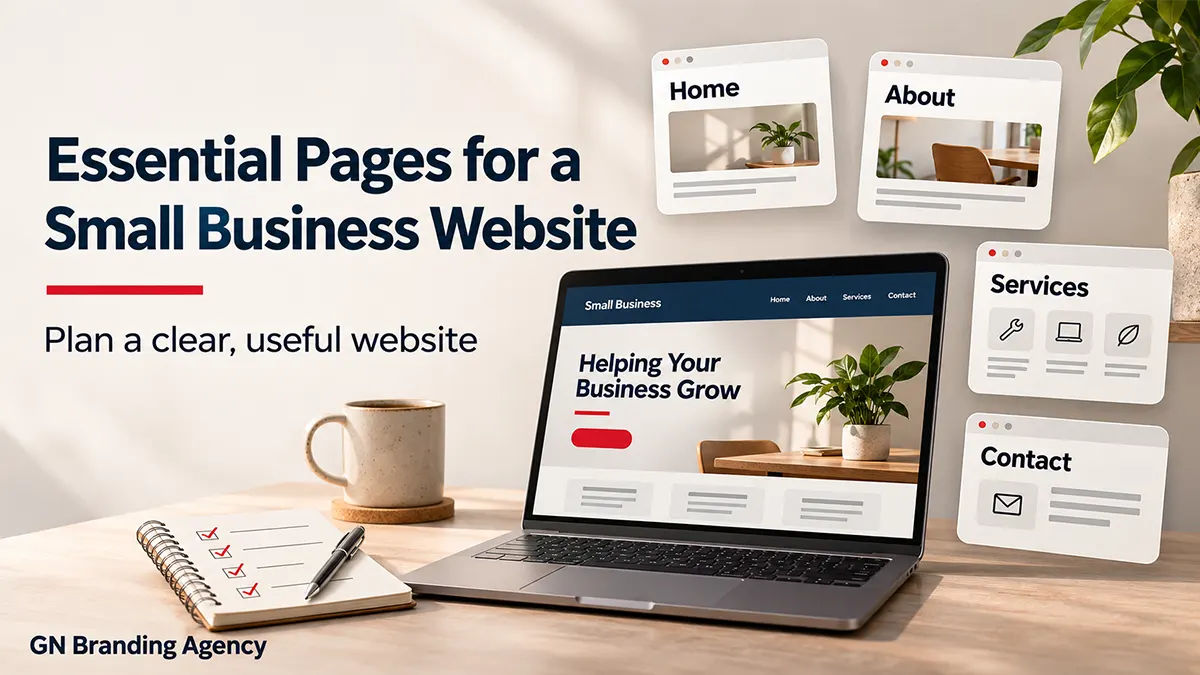
Most small business websites need clear destinations for Home, About, Services or Products, Contact and the policies relevant to their activities. Add service details, menus, portfolios, booking or shopping pages only when they serve a real need. Some destinations can be sections of one page; useful content and working customer journeys matter more than a fixed page count.
Start with customer questions, not a package page count
A useful small business website helps a visitor understand the business, evaluate its offer and take the next step. Its page list should follow those jobs. A quotation for “five pages” is incomplete until you know what those pages contain and which functions work on them.
There is no universal page count for every business. A consultant with one clearly defined offer may need a compact site. A supplier with several distinct services may need separate explanations. An online shop needs product and order information that a brochure-style website does not.
Use this guide as a planning framework, not a legal checklist or a promise that a particular page count will secure rankings or advertising approval. Requirements for policies depend on your activities, data processing and applicable obligations.
The essential page set for a small business website
| Page or destination | Visitor question | Useful content |
|---|---|---|
| Home | What does this business do? | Clear offer, audience, location or service area, and next steps. |
| About | Who is behind the business? | Accurate identity, working approach and relevant real background. |
| Services or products | Can this business meet my need? | Scope, options, limitations and the buying or enquiry process. |
| Contact | How do I get an answer? | Working contact routes and information needed for an enquiry. |
| Applicable policies | How are data and transactions handled? | Disclosures that match the website's actual activities. |
Some destinations can be sections of a single-page website. Others deserve separate URLs because visitors need more detail. The decision is about usefulness and navigation, not meeting an arbitrary number.
Homepage: explain the offer before adding decoration
The homepage should let a new visitor identify the business and its offer without decoding a slogan. Explain who you help and what you provide. If location matters, show the actual service area rather than implying coverage the business cannot support.
Give visitors sensible routes to the main services and contact page. A local print business, for example, might highlight business cards, brochures and signage, then link each to its specifications. It does not need to display every material detail in the hero section.
Use genuine supporting information. A project image should not be presented as client work unless that is accurate and its use is authorised. Avoid invented satisfaction percentages, unverified awards and decorative review stars. A clear scope can be more useful than an unsupported superlative.
About page: establish a real business identity
An About page should answer who operates the business, what it does and how it works. Include the business name and accurate location information. Explain the service approach in concrete terms: briefing, approval, production, delivery or support as applicable.
Add team or founder details only when confirmed and relevant. Do not fill the page with fictional histories, stock biographies or qualifications that cannot be supported. Equally, a small business does not need to claim a large team to explain its offer clearly.
For an example of the intended role of this page, see About GN Branding Agency. The About page supports the service pages; it should not repeat their full content.
Service pages: separate genuinely different customer needs
A service overview introduces the range. A detailed service page explains one distinct offer: who it suits, what can be included, what affects the quotation and how the project starts. Link the overview to the relevant detail pages.
For a signage business, a vehicle-branding enquiry may need different information from a business-card printing enquiry. Separate explanations can help visitors prepare an appropriate brief. Creating nearly identical pages for every keyword variation does not provide that benefit.
Do not split one thin explanation across many URLs just to expand the site. Conversely, a long list of service names on the homepage may be insufficient when customers need materials, process or scope information. Review the purpose of each page before creating it.
Our services overview shows the relationship between a service directory and linked specialist pages.
Contact page: make the next step reliable
Provide the contact methods the business actually monitors. Include phone and email details, an appropriate address or service-area explanation, and business hours only when confirmed. Do not imply that an unstaffed location is an office customers can visit.
If using a form, ask for the information needed to respond. A website-design enquiry may need the current URL, required pages and deadline. It normally does not need passwords or customer records in the first message.
Test the whole route. A submit button that displays a success message without reliable server handling is not a completed enquiry workflow. Confirm the intended mailbox receives a controlled test, check error messages and test phone links on mobile. A WhatsApp click is a handoff attempt, not proof of a qualified conversation.
Policy pages: match the information to the website
Policy content should describe actual business and website practices. A privacy page copied from an unrelated site may mention services you do not use or omit services you do. Review forms, analytics, advertising, embeds, email tools and any account features when preparing the disclosures.
| Situation | Content to assess | Avoid |
|---|---|---|
| Collecting enquiries or using analytics | Privacy information and applicable cookie controls. | Describing all information as anonymous without checking. |
| Taking orders or selling services online | Relevant terms, fulfilment, cancellation and refund information. | Copying conditions that do not match the actual offer. |
| Publishing recommendations with a commercial relationship | Clear contextual commercial disclosures. | Hiding the relationship behind a generic footer link. |
| Publishing an informational blog | Editorial responsibility, sources and correction process. | Invented reviewers or unsupported testing claims. |
These are planning considerations, not a determination of legal requirements. Confirm the policies and controls needed for your business with appropriate qualified advice. Do not create an empty policy page as a substitute for the practices it describes.
Optional pages: add them when they answer a real need
A portfolio can help customers evaluate relevant work, but publish only authorised examples with accurate descriptions. A case study should distinguish the brief, completed work and any results that are genuinely documented. If there is no evidence for a numerical outcome, do not invent one.
A pricing page is useful when the scope and price can be explained clearly. Otherwise, describe quotation factors and the information needed to obtain a price. A blog is valuable when you can maintain useful guidance; a website does not need an empty blog simply because a package includes one.
Other possible pages include delivery information, product specifications, bookings, support or careers. Add them for a real activity. Do not publish a booking page that cannot complete the advertised process, or a careers page that implies vacancies that do not exist.
Three sample page plans for small businesses
These are illustrative structures, not reports of completed client projects.
Local service business
Start with Home, About, Services and Contact, plus appropriate policies. Add a detail page for each substantially different service that needs explanation. A useful guide can link to the relevant service when it helps the reader make a decision.
Restaurant or cafe
Prioritise the menu, location, operating details and accurate contact or reservation information. State the conditions of any booking or ordering option. Keep an accessible text-based menu available rather than relying only on an image that becomes unreadable on a phone.
Small online shop
Plan product information, category navigation, cart and checkout destinations, order communication and relevant fulfilment policies. Account pages should reflect the actual account functionality. Test the purchase workflow, not just the homepage appearance.
Do more pages improve SEO or AdSense readiness?
More pages are not automatically more useful. A new page should serve a distinct purpose and contain enough information to support that purpose. Repeating the same service description across many locations or terms can create a confusing, repetitive website.
Google's SEO Starter Guide focuses on helping people and search engines understand the site; it does not provide a shortcut that guarantees first position. AdSense readiness guidance similarly emphasises original value and usable navigation. Publishing a set of page names alone is not evidence that a site is ready.
Start with complete, functioning destinations. Add new content when you have a worthwhile customer question, offer or resource to cover. Review existing pages before creating alternatives with the same intent.
A practical page checklist before launch
- Purpose: give every page a clear audience question and next step.
- Accuracy: verify the business name, contact details, service area, offers and images.
- Navigation: test header, footer, dropdowns and related links on mobile and desktop.
- Functionality: confirm forms, booking or checkout routes perform the promised action.
- Search basics: review distinct titles, descriptions, canonical URLs and intended indexability.
- Accessibility: check readable text, meaningful links, image alternatives and keyboard use.
- Maintenance: identify who updates content and checks time-sensitive information.
Agree this page list before commissioning the build. Then compare the required templates, content and functions in the quotation. Our website cost guide explains how those choices affect the budget. Our WordPress vs custom PHP comparison helps you assess who will edit and maintain the result.
Frequently asked questions
How many pages should a small business website have?
Use the page count needed to explain the offer, establish business identity and support the customer action. Home, About, Services and Contact are common starting destinations, with applicable policies and additional detail where needed. There is no universal number.
Can a one-page website be enough?
Yes, when a compact page can clearly cover the offer and next step. Distinct services or complex product information may need separate destinations. A single-page design still needs accessible navigation and relevant disclosures.
Does every service need its own page?
No. Separate a service when it has a distinct customer need and useful detail. Avoid creating near-identical pages for slight keyword variations.
Do I need a blog before launching?
Not necessarily. Launch a useful, functioning business site first. Add a blog when you have relevant content to maintain rather than an empty archive.
Where should privacy and policy links appear?
Keep relevant policies accessible, commonly in the footer and near the related interaction. The required content and controls depend on the business and its actual practices.
Should I publish a pricing page?
Use one when you can explain the scope, conditions and current prices accurately. For specification-dependent work, quotation factors and a clear enquiry process may be more appropriate.
Will adding FAQ pages guarantee People Also Ask results?
No. Answer genuine questions where they help readers. Neither an FAQ page nor schema guarantees a particular search appearance.
What should I prepare before asking for a website quotation?
Prepare the business details, page list, services or products, intended customer actions, available content, integrations and deadline. Identify who will maintain the site after launch.
Sources and editorial method
This article provides an editorial planning framework, not a mandatory universal page list or legal advice. Business examples are illustrative. Official guidance checked on 13 November 2026:
- Google Search Central: SEO Starter Guide
- Google Search Central: link best practices
- Google AdSense: site readiness guidance
Read our editorial policy for research and corrections. No affiliate links or guaranteed search or advertising outcomes are included.